Every KTdict release, from the latest back to the beginning.
Release notes for every version of KTdict, from the newest update back through the posts preserved from the original site, with their original screenshots and videos.
KTdict 4.9: read the web in Chinese
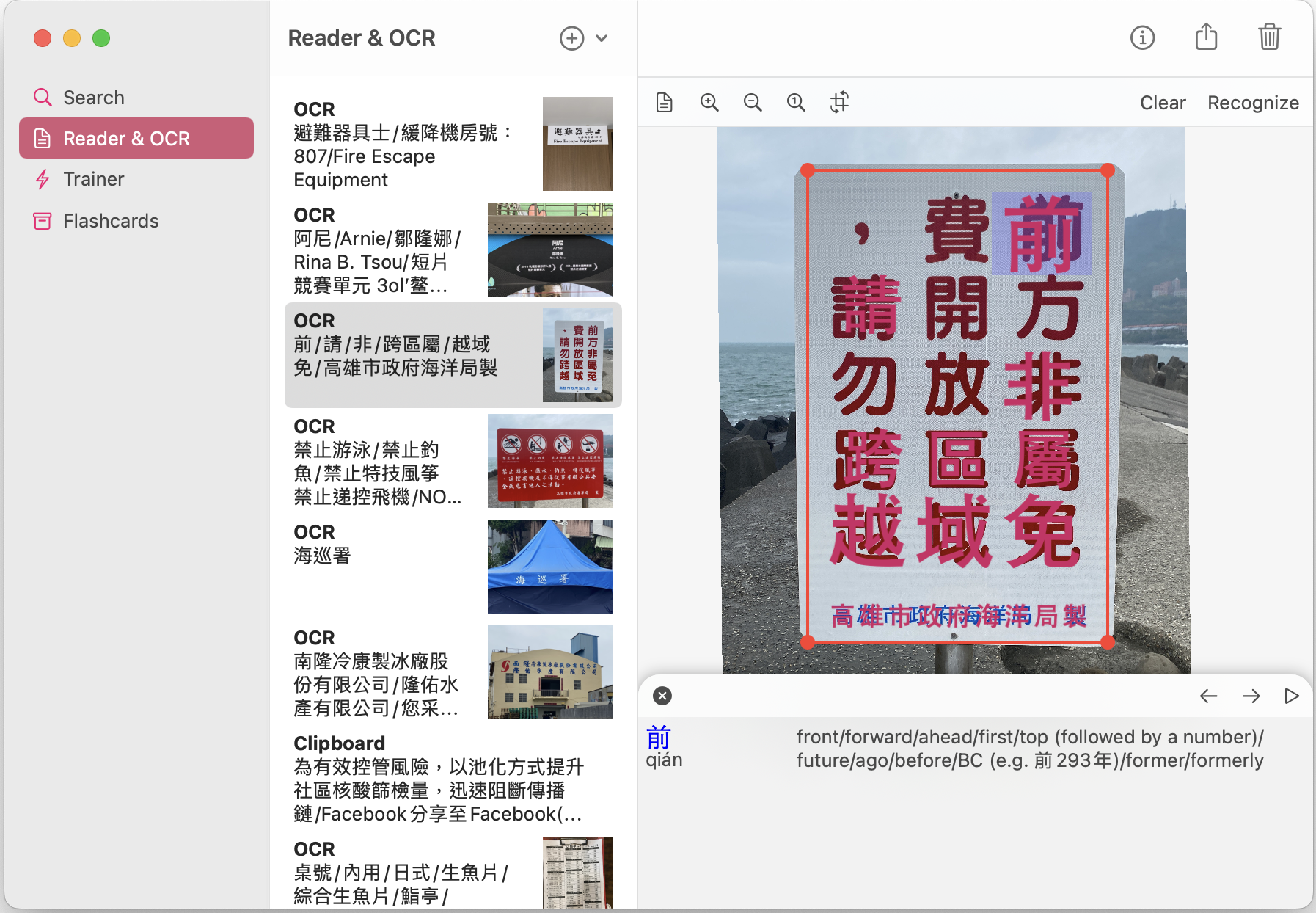
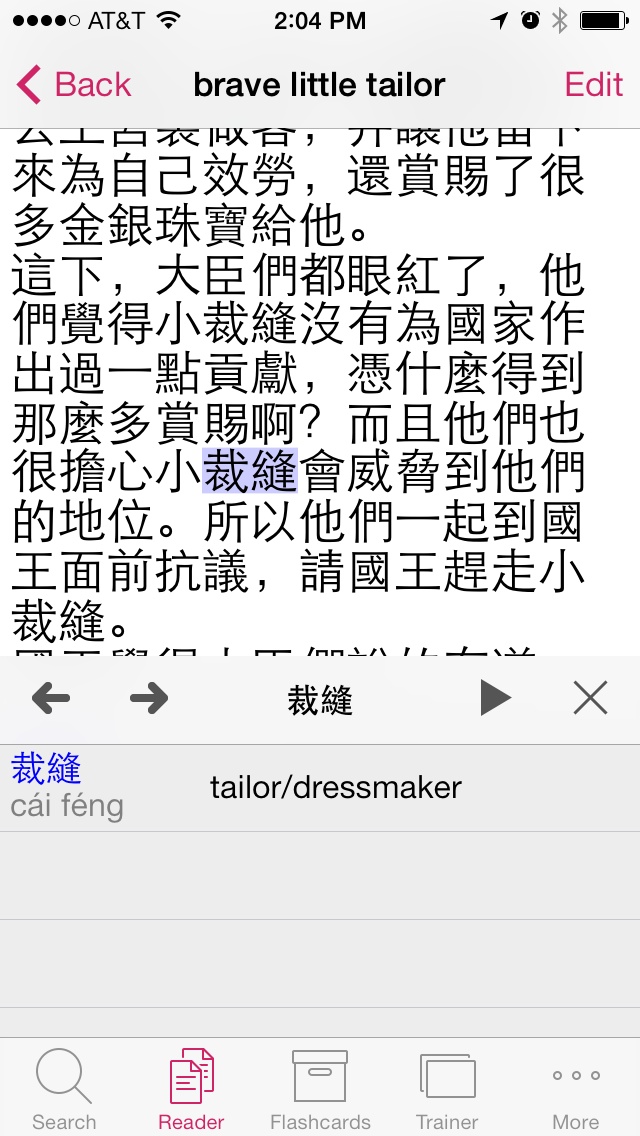
Any web page can now become a reader document: enter its address in the reader, or share the page straight from Safari. KTdict fetches it, keeps the article text and leaves the menus and ads behind. What arrives is the same reader already used for scans and imports, with a link back to the original page in the toolbar.
Sharing to KTdict works on the Mac for the first time in this release. On Mac and iPhone alike, sharing now opens the app straight away instead of asking for a confirmation first. While the page is still being fetched, the share sheet says what it is doing and can be canceled.
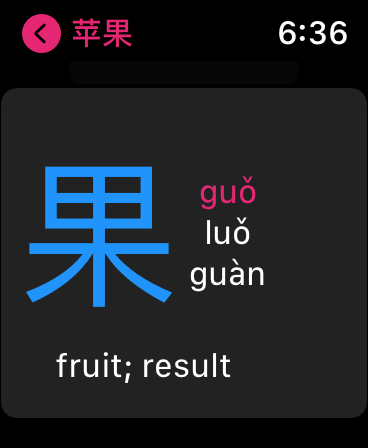
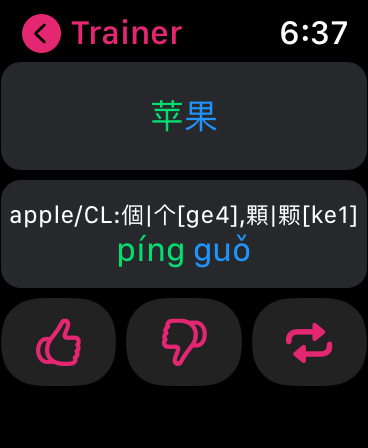
Flashcards are easier to keep in order. The group editor now opens straight from the flashcard list on iPhone, iPad and Mac, and the Apple Watch app can create and rename groups on its own for the first time.
The German HSK decks that ship with the app have been tidied up. Their translations carried an example sentence tacked onto every entry, which pushed the translation itself out of sight in the flashcard list and in the trainer. Those examples are gone, across all seven levels.
This release also reads back through the app's own wording. The Traditional Chinese translation now keeps to Taiwan terminology throughout rather than mixing in mainland terms, both Chinese translations leave a space between Latin text and the characters beside it, and spelling was corrected in all five languages.
A faster Watch app throughout: trainer, flashcards, history and widgets
The trainer and the flashcard list stay responsive with large collections
Deluxe is unlocked the moment an in-app purchase goes through
Fixes from a full review of the app: the flashcard editor, the statistics screen, and importing cards from the menu
KTdict 4.8.3: full-screen reader
The reader view can now be resized all the way to full screen, which makes long articles and scanned pages far easier to work through on iPad and Mac.
This release also carries a round of interface polish and bug fixes across all devices.
KTdict 4.8.2: flashcard trainer fix
Fixed an issue where the flashcard trainer ignored your settings, so review sessions again follow exactly the options you chose.
KTdict 4.8.1: critical issue resolutions
A quick follow-up to 4.8 resolving critical issues reported after the redesign.
KTdict 4.8: modernized interface and full-text translation
KTdict 4.8 brings a modernized interface across every device, designed around a clearer, distraction-free study environment.
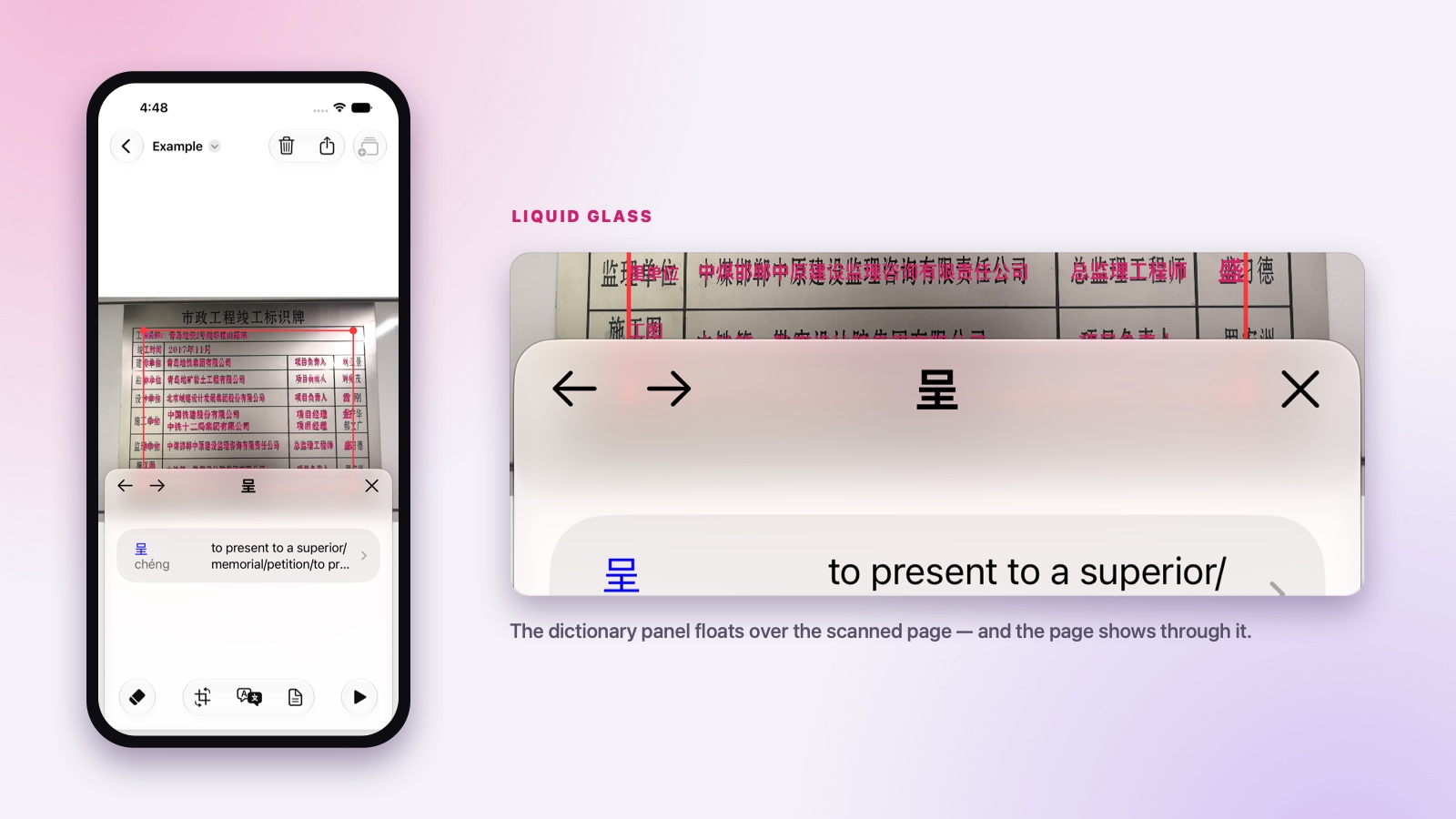
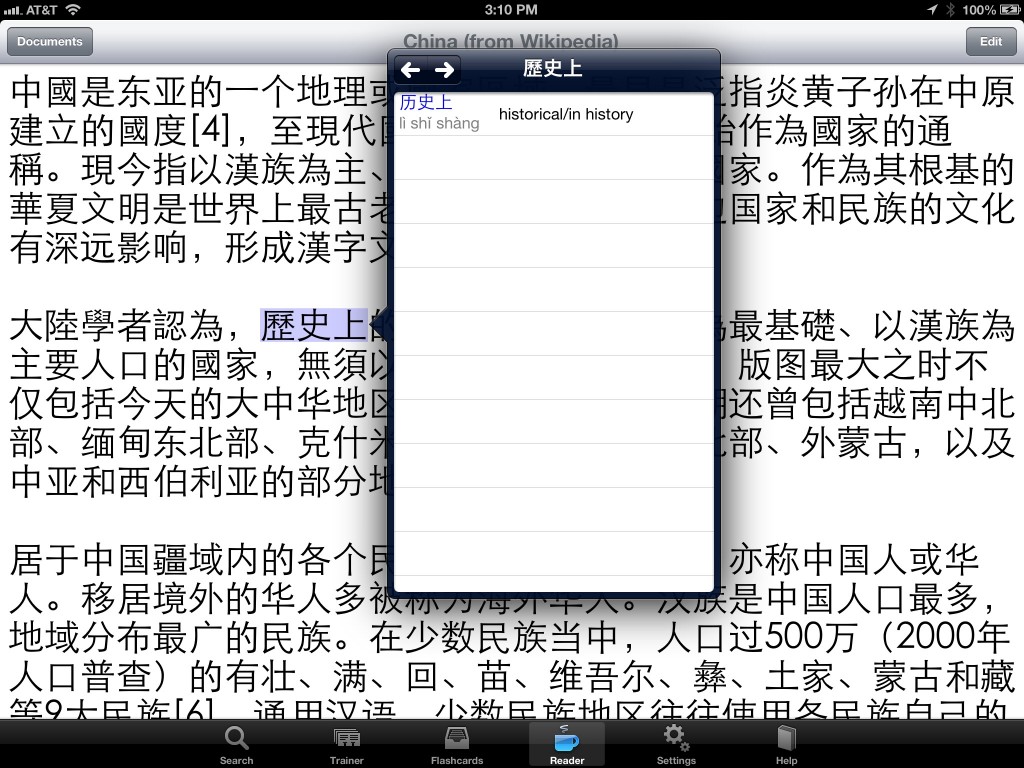
The new look follows the liquid glass material introduced with this year's Apple platforms. Panels and toolbars float above your content rather than boxing it in, and they are genuinely translucent — in the reader above, the scanned page carries on through the dictionary panel sitting over it, so you never lose your place on the page you are working through.
The release also adds full-text translation, so a whole passage can be translated at once rather than word by word, together with performance improvements throughout the app.
KTdict 4.7: animated stroke order diagrams
Master Chinese characters with animated stroke order diagrams. Every character now shows exactly how it is written, stroke by stroke, in the correct order.
Handwriting is what makes characters stick, and having the stroke order next to the meaning means you can practice the moment you meet a new character.
KTdict 4.6: bugfixes
A maintenance release with bug fixes across the dictionary, reader and trainer.
KTdict 4.4: interface improvements and dictionary updates
User interface improvements throughout the app, together with an updated dictionary dataset.
KTdict 4.3.1: bugfixes
A maintenance release following 4.3.
KTdict 4.3: better search ranking
Improved search algorithm: the most frequent words now show at the top of the results, so the word you were probably looking for is the first one you see.
KTdict 4.2: native Mac support
We are happy to announce that KTdict is now available for Mac. This is a fully native Mac application with all the bells and whistles you can expect:
Undo support
Multiple windows
Menu and keyboard shortcuts
KTdict 4.2 also brings enhancements to the iPhone and iPad version — including undo functionality on those devices.
KTdict 4.0: Apple Watch support, enhanced OCR, new cloud sync and more
We are happy to announce that a major new update of KTdict is available in the App Store:
KTdict has been completely rewritten using the latest Apple technologies — mainly SwiftUI and CloudKit. It is now over 12 years since KTdict first became available in the App Store, and the way mobile applications are written has come a long way.
The OCR function now uses the neural engine in modern iOS devices, which makes it far better.
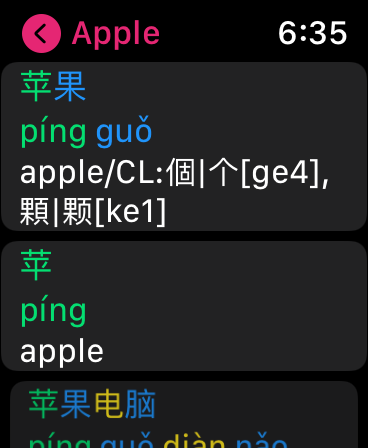
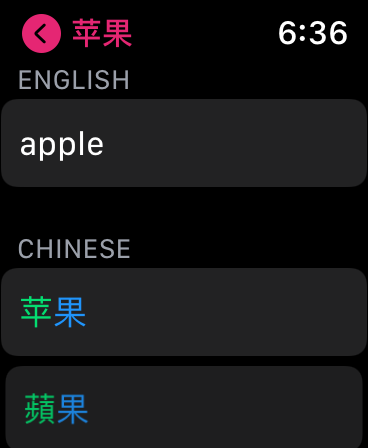
Added support for Apple Watch. The Apple Watch version supports the dictionary and, with the in-app purchase, flashcards and the trainer. The in-app purchase remains valid for all iOS devices and Apple Watch.
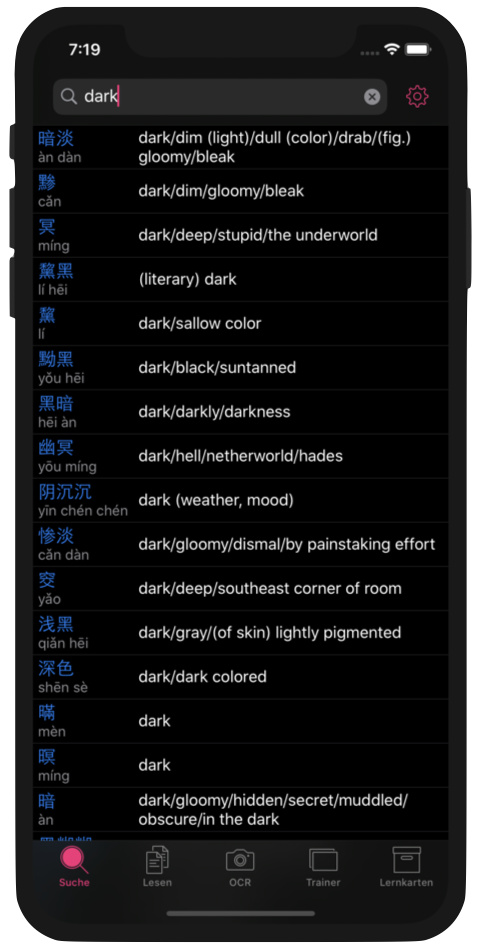
The previously separate applications for English, German and French are now combined. You can go into the settings and change the language you translate to and from.
Thanks to everyone who provided feedback on the new version so far — we published two small updates (4.0.1, 4.0.2) to address some rough edges, like a Chinese font size that was too small.
KTdict 3.1.2: support for dark mode and iOS 13
Happy New Year everyone!
We celebrate with a new version of KTdict, bringing it up to date with iOS 13 — including dark mode.
Enjoy!
KTdict 3.1: support for iPhone XS and XS Max
Got a new iPhone? KTdict 3.1 is out with native support for iOS 12 and the newest iPhone models.
In addition, KTdict 3.1 comes with the following new features:
Newest versions of CC-CEDICT, HanDeDict and CFDICT
Several bug fixes, including the disappearing search bar in the flashcard trainer
Parlez-vous chinois ?
We are happy to announce a new member of the KTdict family: KTdict C-F is a Chinese–French dictionary, similar to its siblings KTdict C-E (Chinese–English) and KTdict C-D (Chinese–German). KTdict C-F is based on CFDICT, a French translation of CC-CEDICT provided and maintained by volunteers of Chine Informations.
KTdict C-F comes with the same features as the other KTdict versions:
a fast, search-as-you-type dictionary engine
a Chinese reader that gives instant translations by tapping on Chinese characters
optical character recognition for Chinese characters
The free version is supported through advertisements. A one-time in-app purchase will disable all advertisements and enable additional features:
the ability to create personal vocabulary lists
a flashcard trainer
quick links to internet sources like Wikipedia
KTdict C-F is localized into French, in addition to English and German. With the next update, the other versions of KTdict will get the French localization as well.
I hope many French-speaking Chinese students and travelers to China will find this useful!
KTdict 2.7: iPhone 6 (Plus) and iOS 8 support
We just submitted KTdict 2.7 to the App Store — it should be available within a few days. This version brings support for the new, larger iPhones as well as support for iOS 8. Detailed list of new features:
Native resolution on all iPhone models (3.5, 4, 4.7 and 5.5 inch) and iPad.
Support for storage providers (iCloud Drive, Dropbox, …) to import and export reader documents, images for OCR and, in the paid versions, flashcards.
Redesigned dictionary overlay for both reader and OCR: better layout in landscape, and the dictionary no longer moves around on iPad.
Here is a video demonstration of KTdict on iPhone 6 Plus:
Videos
iOS 8 has a new feature: it is now easy to capture the screen of an iPhone or iPad as video. I created the following two clips. The first is intended as an app preview to reach new users, while the second demonstrates the new OCR feature.
Introduction to KTdict
Demonstration of the OCR module
KTdict 2.6: OCR and downloadable Chinese fonts
Two major new features in this version: optical character recognition, and downloadable Chinese fonts.
The optical character recognition (OCR) module is based on the open source tesseract-ocr library. At the moment the OCR module is limited to printed black text on a white background — but we already find it very useful, for example to get a translation for something on the menu in a Chinese restaurant.
It is now possible to change the Chinese font in the settings. The fonts are downloaded from Apple's servers on demand.
Both new features are part of the free version at no additional cost.
KTdict 2.5: tone coloring
The main new feature of this version is tone coloring. If enabled in the settings, KTdict will color Chinese characters and pinyin based on tone. The colors used are fully configurable.
Full list of features:
Display pinyin and Chinese characters in different colors to support memorization of tones
Simplified and more robust data sharing through iCloud
Voice output plays even with the ring/silent switch set to silent
Several bug fixes, including one that terminated the app while editing flashcards
CC-CEDICT updated to the latest available version — now over 100,000 entries
KTdict 2.4: sound
A long-requested feature has arrived: the newest version of KTdict supports Chinese sound output through the speech synthesizer available in iOS 7.
Sound is available in three places:
Dictionary: pronounce words
Flashcard trainer: speak flashcards
Reader: have KTdict read documents to you (see screenshot)
KTdict now runs as a 64-bit application on devices with an A7 processor. This version requires iOS 7.
iOS 7 support and more
New versions of KTdict became available on the App Store today. The apps are redesigned to take advantage of the new look and features of iOS 7. KTdict still runs on iOS 6 and iOS 5, but it now definitely looks and works best on iOS 7.
While this is mainly a visual facelift on the iPad, the interface for iPhone and iPod touch went through a major overhaul. Navigation through the application is greatly simplified — for example, it now takes only a single tap to switch between the flashcard list and the dictionary.
In addition to the interface improvements and the visual facelift, KTdict has additional data from the Unihan database. When the Chinese characters of a word are displayed, KTdict now shows all meanings and readings of that character — not only the one used in this word.
Los Angeles Times: brush up on your foreign-language skills with these 5 apps
Review of KTdict C-E and four other language apps in the Los Angeles Times.
Highlights:
“Whether you create the flashcards or rely on the expert information available through the iOS app, the KTdict is a comprehensive, easy to use Chinese-English dictionary.”
Los Angeles Times
“One of the best parts about this app is that everything is stored on your iOS device, and Internet connection is not required to use it.”
Los Angeles Times
KTdict 2.2
This is a smaller update with the following new features, in addition to the usual bug fixes:
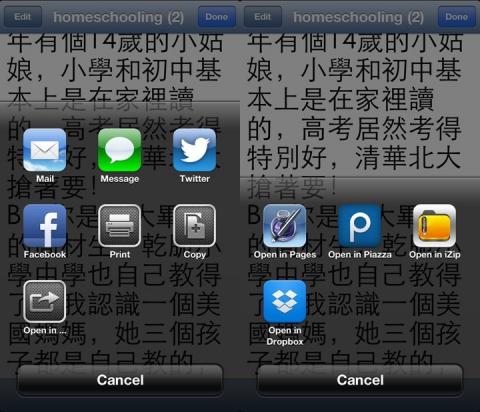
Easy sharing and printing of reader documents
Printing of flashcard lists
The new features require iOS 6, but the application continues to run on iOS 5 and above.
(One of) 23 apps that will change your Guangzhou life
A nice feature about KTdict C-E on the Guangzhou blog City Weekend:
“This is the best Chinese-English translation app we've ever used. Simple and super convenient, it's saved us on several trips to the pharmacy. Start reading Chinese signs, ads and newspapers by exploring and experimenting with characters you've never seen before. The app's got over 70,000 entries and Chinese handwriting recognition, and you don't even need to be connected to the internet to use it.”
City Weekend
(Please note that the article is incorrect on one count: there is no Android version of KTdict C-E.)
Seven useful China apps
The following post (in German) lists some useful apps for China — including KTdict:
KTdict 2.1 is available — scribble area in the trainer
KTdict 2.1 is available in the App Store:
The dictionaries of KTdict C-E and KTdict C-D have been updated to the latest versions of CC-CEDICT and HanDeDict respectively.
The reader function now imports .txt files with more encodings (the encoding is the way Chinese characters are translated into numbers the computer can understand). In addition to UTF-8 it now supports UTF-16 as well as GB18030. Memory management in the reader was also improved, which lets it handle larger documents.
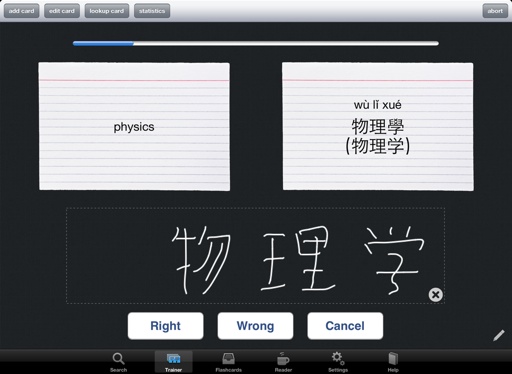
Users of the paid versions get a scribble area in the trainer, which is handy for practicing the writing of Chinese characters right on the device — no extra pen and paper needed. This comes with an improved design of the trainer on iPad (see below).
We also spent extra effort on improving the overall stability of the app. Thanks to everybody who gave feedback and reported issues by email, through this website or on the App Store.
KTdict will require iOS 5.0 with the next version
Future versions of KTdict will not support iOS versions below 5.0. If you have not done so yet, please take the time to upgrade your device to the newest version of iOS. It is worth it for many other features Apple has added to iOS as well.
I understand that this leaves users of the original iPhone, the iPhone 3G and the iPod touch without a way to upgrade KTdict — the current version will continue to work. But this decision allows me to use several new features added with iOS 5.0 and greatly simplifies testing, which benefits the vast majority of users (around 95% of iOS devices are on 5.0 or above).
KTdict 2.0 is out — iPhone 5 support and a new Chinese reader
KTdict 2.0 is out. It supports the iPhone 5 natively and carries multiple bug fixes for iOS 6.0.
But there is also a major new feature: an integrated Chinese reader. It lets you import Chinese texts, for example from a Chinese website, into KTdict. Tap a character and KTdict immediately looks up the word starting from that character in the dictionary.
I hope this proves a powerful tool for many people learning to read Chinese!
KTdict 1.9.1
KTdict 1.9.1 is available. This is a maintenance release:
improved start-up speed of the application
fixed a crash when a search consisted only of spaces
corrected handling of duplicate cards
fixed a display issue in the flashcard list
The last two items only affect users of the paid versions.
Thanks to everybody who helped with resolving these bugs.
KTdict 1.9 is out!
It took longer than anticipated, but KTdict 1.9 is finally out.
This is a major under-the-hood revision to enable one major new feature: support for iCloud. For people with multiple iOS devices — and I think there are more and more of them — this allows the automated synchronization of
settings
search history
flashcards (paid versions)
lesson definitions (paid versions)
learning results and statistics
Additional enhancements are:
Support for landscape orientation on iPhone and iPod touch
Better search in the flashcard database, including the possibility to search using pinyin
Support for the retina display on the new iPad
Hope most of you like it. Drop me a mail at ktdict@me.com or leave a comment here.
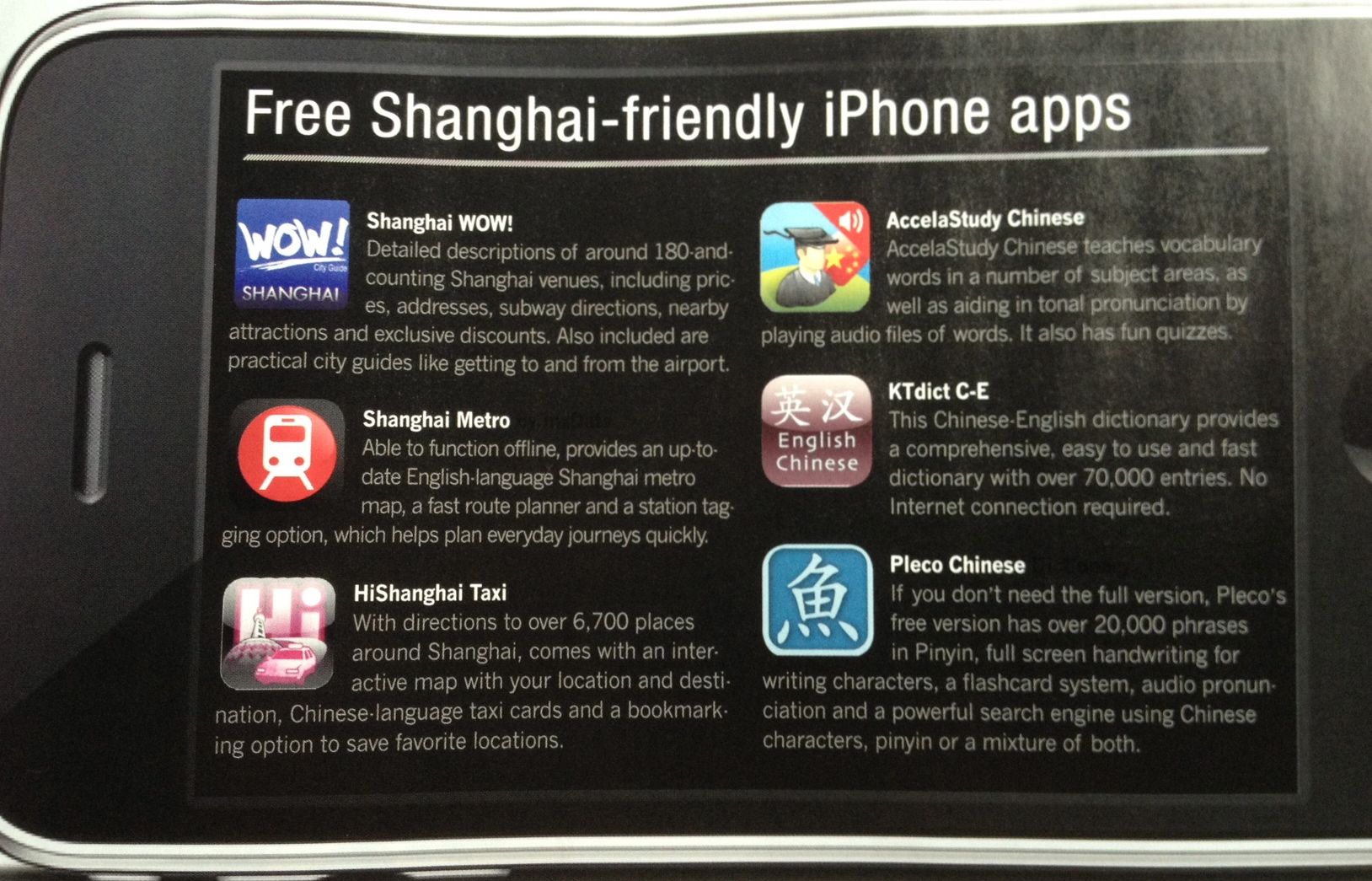
KTdict C-E featured in "That's Shanghai" magazine
"That's Shanghai" magazine has an article on the iPhone. Glad to see that it features KTdict C-E among "free Shanghai-friendly apps":
This is encouraging for the work on the next version, which is in the process of getting wrapped up.
KTdict 1.8
KTdict version 1.8 is available in the App Store. This is mainly a maintenance release and has the following improvements and bug fixes:
Correct handling of ü in pinyin input
Possibility to store pinyin in the clipboard on iPad as well
Better compatibility with older (3.x) iOS versions
Better organized flashcard list on iPad (paid versions)
Improved stability of flashcard import (paid versions)
Visual indication of progress during flashcard training (paid versions)
Thanks to everybody who provided feedback.
iAd, and where are my users
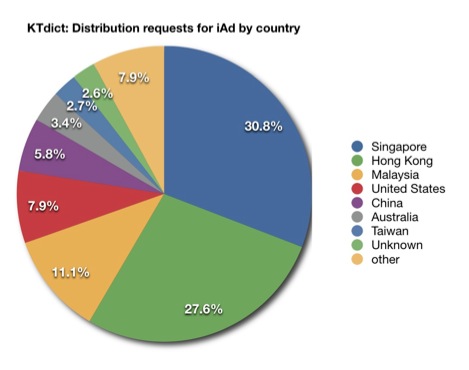
Version 1.6 of KTdict includes Apple's iAd in the free versions (the paid versions are ad-free, of course). The data from the iAd network provides one interesting insight: it is possible to see in which countries people are using KTdict — see the chart below.
This pretty much lines up with the downloads. It is a pity that iAds are only available in the US, as I am losing 88.9% of my potential ad revenue this way — the overall fill rate is about 2%: 25% in the US and 0% everywhere else.
KTdict 1.7 is out — native support for iPad
I am very happy to announce that KTdict 1.7 is available in the App Store. This is a major update including:
Native support for iPad: KTdict is now a so-called universal application — one binary runs on both iPhone/iPod touch and iPad. If you purchased the paid version or the upgrade for iPhone/iPod touch, you can use it on the iPad without an additional purchase.
A completely rewritten and improved search engine: KTdict is now even faster and no longer requires spaces between pinyin syllables — you can search for “pengyou” or “zhongguo”, for example.
The possibility to import and export flashcards (paid version only): both via email and via iTunes file sharing.
I hope many of you will like the new features. Let me know if you run into any problems or have suggestions for future versions.
Version 1.6 of KTdict
Version 1.6 of KTdict is out. It includes several important features:
support for iPhone 4 and iOS 4.0 (multitasking, retina display)
Chinese characters and pinyin can be mixed in searches
it is possible to search for individual characters of a word
What is not so nice: a critical bug made it into this version. The app crashes for certain English words. A fix was submitted to Apple on July 21st, so it should become available within a few days. My apologies to everybody affected by this issue — the emails and comments I get on the App Store show that many people rely on KTdict for day-to-day use. I will definitely be more careful in future when making changes to the core search engine.
Version 1.4 of KTdict available
New versions of KTdict C-E and KTdict+ C-E are available (KTdict C-D will follow very soon).
Both the free and the paid version have a further enhanced search algorithm: speed is improved and the relevance of results is better. It is also now possible to delete words from the search history. The dictionary database is updated to the newest version of CC-CEDICT. As the age rating of KTdict is now set to 12, I could include an uncensored version of CC-CEDICT — some of the previous versions had a few words removed.
The paid version has the following extra features:
an integrated web browser allows a quick lookup of words in internet sources such as Wikipedia
flashcards can be exported by email
it is possible to search within flashcards (I realized some users have quite a lot)
the configuration of the daily lessons is much more flexible
KTdict now requires iPhone OS 3.0 — I assume most people upgraded their iPhone or iPod touch in the meantime, so this doesn't cost me too many potential users.
Let me know what you like and don't like about the upgrade.
Download trend for KTdict C-E
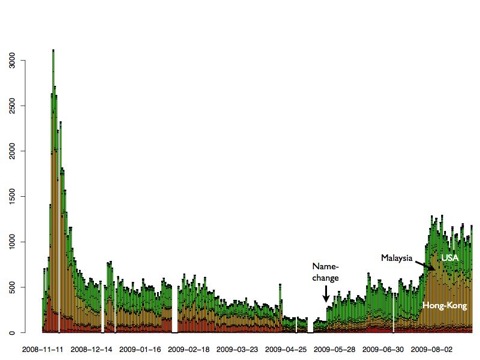
Below is an updated download trend for KTdict C-E, the free version of my Chinese–English dictionary. Two interesting observations:
after I changed the name of the app in the store to "KTdict C-E (chinese-english dictionary)", downloads increased quite drastically. I am sure this is because people find it when searching for a Chinese-English dictionary.
KTdict C-E is back in the top 100 in Hong Kong and Malaysia. This gave downloads a further boost in these countries.
Total downloads of KTdict C-E are now over 160,000. From the updates I can estimate that roughly half of the people downloading KTdict keep it installed on their iPhone or iPod touch.
Struggling with age ratings
With OS 3.0, Apple added parental controls to the iPhone. Therefore each application in the iTunes App Store needs an age rating from 4+ to 17+ (true adult content cannot be sold through the App Store at all).
During the submission of an app, the developer has to answer questions like: "Does the app contain nudity?", "Does the app contain obscene language?", "Does the app contain simulated gambling?" Based on the answers, iTunes calculates the age rating.
Two weeks ago I submitted a bug fix for KTdict C-D (there was an error handling the German "ü" correctly, which I realized after some bad reviews). I thought a dictionary shouldn't be a problem for children, so I answered all of these questions with "none". That gives an age rating of 4+, which is no change from the current version.
One week later, the surprise: Apple rejected the update due to "profanity" and "mature/suggestive themes". Okay — they obviously found some dirty words in the dictionary. As I didn't want to censor, I changed the age rating by moving "profanity" and "mature/suggestive themes" to "mild". This increases the age rating to 9+.
One week later, the next surprise: the app was rejected again. This time the reason is "sexual content in Chinese". So now I change that setting too, which makes KTdict C-D a 12+ app. I hope Apple will release the update this time, so it finally reaches my customers.
I must say that I find this pretty annoying. It would be okay with me if Apple said: we looked at your app and think it should be rated 17+. But right now I have to play trial and error to see what Apple thinks about an app. Because of the review process, each trial costs one week.
Anyway: I hope to get the update out soon, and not to lose too many customers between four and nine years of age.
Version 1.3 of KTdict
New versions of KTdict, my Chinese–English and Chinese–German dictionaries for the iPhone and iPod touch, are online. The version numbers of KTdict C-E (a free Chinese–English dictionary), KTdict+ C-E (a Chinese–English dictionary with an integrated flashcard trainer) and KTdict C-D (a Chinese–German dictionary with an integrated flashcard trainer) are now all increased to 1.3.
The following improvements have been implemented:
The performance of the search algorithm has been optimized. Especially very large result lists are now handled considerably faster.
The user interface is more polished, especially the flashcard trainer.
It is now possible to edit the flashcard currently displayed and to search for it in the dictionary.
A history function for searches as well as results has been added.
KTdict has been successfully tested on iPhone OS 2.2.1 and iPhone OS 3.0.
The updates are free for all existing owners of KTdict C-E, KTdict+ C-E or KTdict C-D. I hope you enjoy the additional features and the increased speed.
New versions of KTdict
New versions of KTdict are ready and available in the App Store:
KTdict C-E: the basic Chinese–English dictionary, which remains free
KTdict+ C-E: an advanced version that includes a flashcard trainer. This version costs $3.99.
KTdict C-D: a Chinese–German dictionary with the same features as KTdict+ C-E. It is a free upgrade for existing users; for new users the price is unchanged at $3.99.
Features added to all versions include:
An option to change the size of the output
The possibility to show characters in a full-screen view, so details are easier to see
The possibility to use search results as input for a new search. This allows you, for example, to look up an English word, then select a character of that word and search for all other uses of this character
The major new feature of the paid versions KTdict+ C-E and KTdict C-D is a flashcard trainer. You can add words from the dictionary as flashcards as well as adding words manually. This provides an easy, mobile way to memorize new vocabulary.
KTdict C-E crossed 10,000 downloads
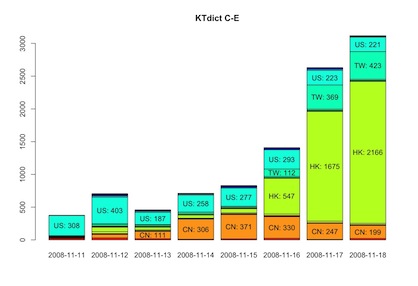
After one week in the App Store, KTdict C-E reached 10,000 downloads. It is currently the most downloaded app in Taiwan and number two in Hong Kong.
Below is the download trend so far by country. It's amazing to see how Hong Kong and Taiwan took off in the last four days. I am very curious how this will continue.
KTdict C-E and C-D available!
After a longer than expected wait, my dictionary programs KTdict C-E and KTdict C-D are now available for download in the iTunes App Store.
KTdict C-E (Chinese–English) is free, while KTdict C-D (Chinese–German) costs $3.99 / €2.99.
KTdict C-E and C-D submitted to the iTunes App Store
I submitted two iPhone applications to the iTunes App Store: KTdict C-E and KTdict C-D. The first is a Chinese–English dictionary, the second a Chinese–German dictionary. They are based on the following components:
The excellent dictionary data of CC-CEDICT (over 70,000 entries) and HanDeDict (over 120,000 entries). I used these great dictionaries over the internet for many years. Fortunately their licenses allow them to be included in one's own dictionary software.
The Chinese handwriting recognition built by Apple into iPhone OS
Fast indexing and search technology implemented by myself, which provides fast search-as-you-type results.
I use both programs myself several times a day and can hardly imagine getting along without them. They should be available in the App Store in about two weeks.